
Blazon for Technical Presentations and Training
I recently switched to using Blazon for all my presentations, and I couldn't be happier. Here are some of my favorite features:
- Markdown
- Code block syntax highlighting
- Shared code blocks
- Line-by-line highlighting
- Offline viewing
Effortless editing with markdown
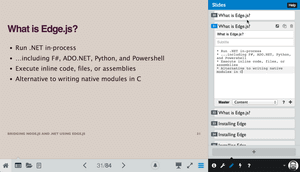
Markdown is a plain-text formatting syntax that gets converted to HTML. The rules are simple and easy to pick up.
As you type content for a slide, Blazon gives you a live preview of how that content is presented on a slide.
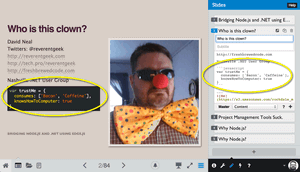
Syntax highlighting
Syntax highlighting makes code easier to read, and it's something that developers can appreciate.
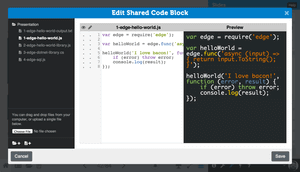
Shared code blocks
Need to walk through a lot of code across multiple slides? Blazon let's you create and reference shared files. You can even select which lines from a file you want to appear on a slide. Make a change to a file, and all the slides that make use of that file are automatically updated. Boom.
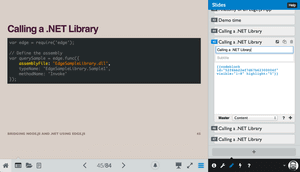
Highlight specific lines of code
Blazon takes shared code files a step further by allowing you to highlight specific lines of code. This is a killer way to walk through your code.
No WiFi? No problem.
Blazon allows you to download your entire presentation as a self-contained web page with all the HTML, CSS, and JavaScript you need. It even downloads all your silly images and animated gifs.
Pro tip: Your argument is 189.3% more valid when using animated gifs.
Pro features coming soon
Currently in beta, there are a number of features coming to Blazon that make it the tool for speakers and training professionals.
Remote Control: Start a presentation and drive it with your phone or tablet. Your speaker notes appear also appear on your device!
Audience Follow Along: Give your audience a URL they can use to follow along with your presentation. They can go back and view previous slides, but they can't jump ahead of you!
No-Brainer
Blazon is destined to become the best tool for technical presentations and training. Don't waste any more time coercing PowerPoint or Keynote.
Comments
2 archived comment(s) from this site's previous comment system. These are read-only — join the discussion above.
I've been using Blazon for the past couple of presentations, and after David Neal took the time to show me the shared code blocks feature I was blown away.
Just that feature alone is completely worth using this product for technical presentations. The fact that I can give my audience a public url, and download the entire thing for offline use are amazing bonuses.
I completely agree that anybody doing technical presentations should be using Blazon.
P.S. I am in no way affiliated with Blazon, or getting paid to promote them. I just think it's an awesome product and everybody should use it.
+1000, Josh!
And, just to be clear, I'm not getting any kickbacks from Blazon or the wizards at appendTo for this review. Not that I'm above such things ;-)