
Teaching My Teleprompter to Listen
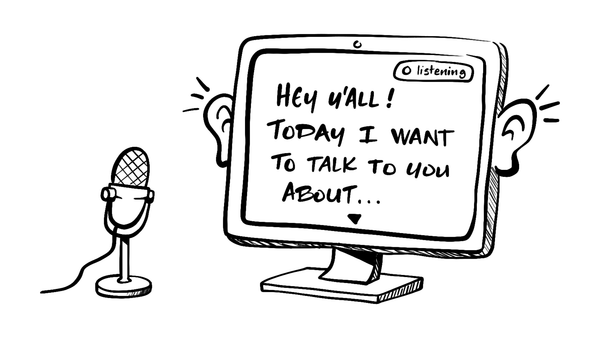
I've long enjoyed using my open-source desktop teleprompter for recording videos and presentations. But there's been one feature I've wanted to add for years. Auto-scrolling. Not a fixed scroll speed. One that follows what I'm actually saying.
That's exactly what I added in the latest release: voice-driven auto-scroll. You talk, the script scrolls. No clickers, no foot pedals, no right-arrow key acrobatics. The goal was to make the scrolling disappear and not have to think about it again.
A bit of backstory: I originally built this teleprompter because every other one I tried hijacked my whole screen. I wanted a translucent overlay so I could keep eye contact with whoever I was talking to. Auto-scroll is the natural next step, letting the prompter follow my actual speaking pace.
Powered by Deepgram
Under the hood, the teleprompter streams your microphone audio to Deepgram for real-time speech-to-text. Every time Deepgram returns a chunk of text, it finds the closest matching spot in the script, and gently moves the text into position.
A few nerdy details that make the experience feel less janky:
- Fuzzy alignment: A sliding-window multiset overlap (basically: "does the bag of words I just said look like the bag of words at script position X?"). It tolerates ad-libs, ums, re-reads, and Deepgram occasionally hearing "destroy" when you said "deploy."
- Smooth motion: A critically-damped spring (Unity's classic SmoothDamp). Successive transcripts blend into one continuous glide instead of jumps.
- Manual override: If you grab the trackpad or arrow keys, auto-scroll yields for a few seconds before picking back up. Backtrack to re-read a line without fighting the scroller.
Of course, if you're whispering or your mic is picking up the dishwasher, accuracy will tank. But for normal-volume reading in a reasonably quiet room, it works surprisingly well.
Privacy note: Auto-scroll only listens when you enable it. Audio is streamed to Deepgram for transcription, so don't use it with scripts you wouldn't be comfortable sending to a third-party speech-to-text service.
Setup takes about two minutes
Step 1: Update the app
Pull down the latest version (or build it yourself):
git clone https://github.com/reverentgeek/electron-teleprompter
cd electron-teleprompter
pnpm install
pnpm start
Step 2: Grab a Deepgram API key
Auto-scroll uses Deepgram for transcription. Sign up at console.deepgram.com. They have a free tier that's plenty for personal use.
Step 3: Tell the app about your key
In the menu, choose Script > Set Deepgram API Key… and paste your key into the modal.
Step 4: Enable auto-scroll
Open your script, and click Script > Toggle Auto-scroll (or press Cmd+Shift+L). A green "listening" pill appears in the top-right corner. You're ready to start reading!
Step 5: Tune to taste
The auto-scroll speed is adjustable so you can find your groove:
| Shortcut | Action |
|---|---|
Cmd+] | Increase scroll speed |
Cmd+[ | Decrease scroll speed |
Cmd+\ | Reset to 1× |
Your speed setting (and your API key, and the microphone choice below) all persist across sessions.
Step 6: Pick your mic
If you've got a fancy USB lavalier, podcasting beast, or "this microphone costs more than my first car" setup plugged in, you'll want auto-scroll to use that, not your laptop's built-in array. Open Script > Select Microphone… and choose from the list.
Pro tip: Device names only show up after macOS/Windows has granted mic access at least once. If your dropdown looks like cryptic IDs the first time, start auto-scroll once to trigger the permission prompt, accept it, then reopen the picker and the names will be there.
If your saved mic is unavailable when auto-scroll starts — unplugged, you're not using the same dock, gremlins — the app falls back to the system default and flashes a quick "Saved mic unavailable — using default" hint. Your selection is preserved, so plugging the device back should work the next time.
What it feels like
I gotta say, the auto-scrolling is delightful and more than a little magical.
It's currently a little stop-and-go at times, based on pauses in speech, but it works! I can make mistakes or skip ahead, and it follows right along.
I'm super happy with it right now as it is. But, in the future, I want to experiment with Deepgram's "interim results" to make the scrolling experience even smoother.
But wait, there's more!
Here's a quick rundown on the features added since I introduced the teleprompter.
- Writing scripts is easier: built-in markdown editor, syntax highlighting, save-in-place.
- Reading is more comfortable: font size, opacity controls, mirror mode.
- The app remembers things: recent files, last-opened script, window position, microphone choice.
- The codebase is healthier: ESM, pnpm, and other under-the-hood cleanup.
Go talk to your teleprompter
I built this for myself, but I hope you find it useful, too! The code is open and the auto-scroll module is small and isolated. If you've got a better matching strategy (phonetic? embeddings? something I haven't thought of?), or you'd love to plug in a different STT provider, that's the place to start. PRs and weird ideas welcome over at github.com/reverentgeek/electron-teleprompter.
If you take it for a spin, I'd love to hear your feedback! What would make it more useful for you? What else should a desktop app be able to do once it can listen?